ArduinoでRFIDモジュール(MFRC522)を使ってタグに名前の書き込み・読み込みをする
今回使うもの
Arduino Uno Rev3 ATmega328 マイコンボード A000066 白
VKLSVAN 3個セット RFIDモジュール FRC RC522 MFRC522 IC カード リーダー モジュール+ S50 非接触ICタグ + カードキー Mifare
使用する前のセッティング
以下の記事を参考にしてください。
非接触ICタグで遊ぼう!ArduinoでRFIDリーダRC522を使う方法
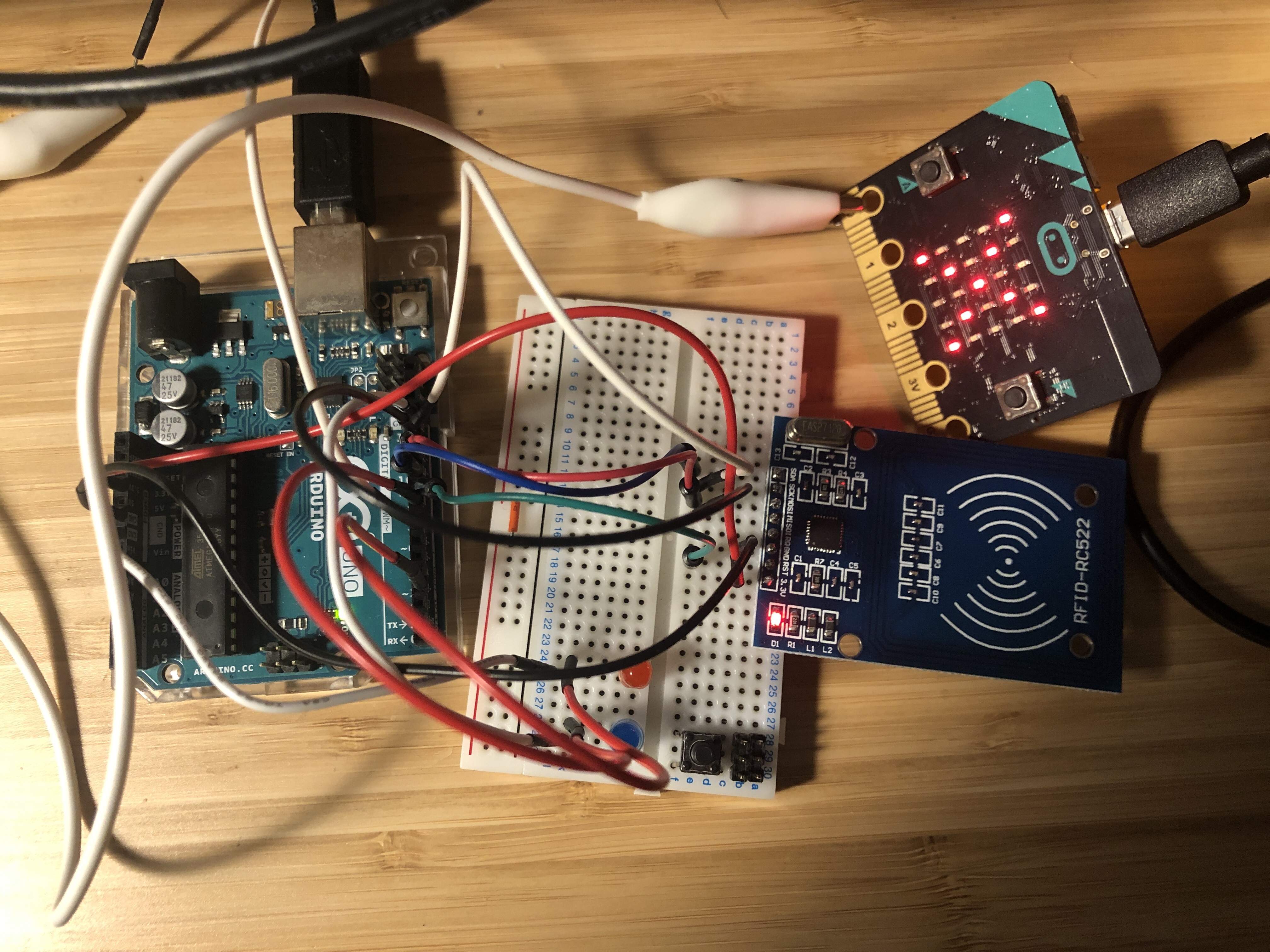
とりあえず私はこんなかんじ。無駄にマイクロビット繋げてますけど気にしないでください。
コード
ライブラリのサンプルをそのまま使います。
https://github.com/miguelbalboa/rfid/tree/master/examples
まずは書き込みから。
/* * Write personal data of a MIFARE RFID card using a RFID-RC522 reader * Uses MFRC522 - Library to use ARDUINO RFID MODULE KIT 13.56 MHZ WITH TAGS SPI W AND R BY COOQROBOT. * ----------------------------------------------------------------------------------------- * MFRC522 Arduino Arduino Arduino Arduino Arduino * Reader/PCD Uno/101 Mega Nano v3 Leonardo/Micro Pro Micro * Signal Pin Pin Pin Pin Pin Pin * ----------------------------------------------------------------------------------------- * RST/Reset RST 9 5 D9 RESET/ICSP-5 RST * SPI SS SDA(SS) 10 53 D10 10 10 * SPI MOSI MOSI 11 / ICSP-4 51 D11 ICSP-4 16 * SPI MISO MISO 12 / ICSP-1 50 D12 ICSP-1 14 * SPI SCK SCK 13 / ICSP-3 52 D13 ICSP-3 15 * * More pin layouts for other boards can be found here: https://github.com/miguelbalboa/rfid#pin-layout * * Hardware required: * Arduino * PCD (Proximity Coupling Device): NXP MFRC522 Contactless Reader IC * PICC (Proximity Integrated Circuit Card): A card or tag using the ISO 14443A interface, eg Mifare or NTAG203. * The reader can be found on eBay for around 5 dollars. Search for "mf-rc522" on ebay.com. */#include <SPI.h> #include <MFRC522.h>
#define RST_PIN 9 // Configurable, see typical pin layout above #define SS_PIN 10 // Configurable, see typical pin layout above
MFRC522 mfrc522(SS_PIN, RST_PIN); // Create MFRC522 instance
void setup() { Serial.begin(9600); // Initialize serial communications with the PC SPI.begin(); // Init SPI bus mfrc522.PCD_Init(); // Init MFRC522 card Serial.println(F(“Write personal data on a MIFARE PICC ”)); }
void loop() {
// Prepare key - all keys are set to FFFFFFFFFFFFh at chip delivery from the factory. MFRC522::MIFARE_Key key; for (byte i = 0; i < 6; i++) key.keyByte[i] = 0xFF;
// Reset the loop if no new card present on the sensor/reader. This saves the entire process when idle. if ( ! mfrc522.PICC_IsNewCardPresent()) { return; }
// Select one of the cards if ( ! mfrc522.PICC_ReadCardSerial()) { return; }
Serial.print(F(“Card UID:”)); //Dump UID for (byte i = 0; i < mfrc522.uid.size; i++) { Serial.print(mfrc522.uid.uidByte[i] < 0x10 ? ” 0” : ” ”); Serial.print(mfrc522.uid.uidByte[i], HEX); } Serial.print(F(” PICC type: ”)); // Dump PICC type MFRC522::PICC_Type piccType = mfrc522.PICC_GetType(mfrc522.uid.sak); Serial.println(mfrc522.PICC_GetTypeName(piccType));
byte buffer[34]; byte block; MFRC522::StatusCode status; byte len;
Serial.setTimeout(20000L) ; // wait until 20 seconds for input from serial // Ask personal data: Family name Serial.println(F(“Type Family name, ending with #”)); len = Serial.readBytesUntil(’#’, (char *) buffer, 30) ; // read family name from serial for (byte i = len; i < 30; i++) buffer[i] = ’ ’; // pad with spaces
block = 1; //Serial.println(F(“Authenticating using key A…”)); status = mfrc522.PCD_Authenticate(MFRC522::PICC_CMD_MF_AUTH_KEY_A, block, &key, &(mfrc522.uid)); if (status != MFRC522::STATUS_OK) { Serial.print(F(“PCD_Authenticate() failed: ”)); Serial.println(mfrc522.GetStatusCodeName(status)); return; } else Serial.println(F(“PCD_Authenticate() success: ”));
// Write block status = mfrc522.MIFARE_Write(block, buffer, 16); if (status != MFRC522::STATUS_OK) { Serial.print(F(“MIFARE_Write() failed: ”)); Serial.println(mfrc522.GetStatusCodeName(status)); return; } else Serial.println(F(“MIFARE_Write() success: ”));
block = 2; //Serial.println(F(“Authenticating using key A…”)); status = mfrc522.PCD_Authenticate(MFRC522::PICC_CMD_MF_AUTH_KEY_A, block, &key, &(mfrc522.uid)); if (status != MFRC522::STATUS_OK) { Serial.print(F(“PCD_Authenticate() failed: ”)); Serial.println(mfrc522.GetStatusCodeName(status)); return; }
// Write block status = mfrc522.MIFARE_Write(block, &buffer[16], 16); if (status != MFRC522::STATUS_OK) { Serial.print(F(“MIFARE_Write() failed: ”)); Serial.println(mfrc522.GetStatusCodeName(status)); return; } else Serial.println(F(“MIFARE_Write() success: ”));
// Ask personal data: First name Serial.println(F(“Type First name, ending with #”)); len = Serial.readBytesUntil(’#’, (char *) buffer, 20) ; // read first name from serial for (byte i = len; i < 20; i++) buffer[i] = ’ ’; // pad with spaces
block = 4; //Serial.println(F(“Authenticating using key A…”)); status = mfrc522.PCD_Authenticate(MFRC522::PICC_CMD_MF_AUTH_KEY_A, block, &key, &(mfrc522.uid)); if (status != MFRC522::STATUS_OK) { Serial.print(F(“PCD_Authenticate() failed: ”)); Serial.println(mfrc522.GetStatusCodeName(status)); return; }
// Write block status = mfrc522.MIFARE_Write(block, buffer, 16); if (status != MFRC522::STATUS_OK) { Serial.print(F(“MIFARE_Write() failed: ”)); Serial.println(mfrc522.GetStatusCodeName(status)); return; } else Serial.println(F(“MIFARE_Write() success: ”));
block = 5; //Serial.println(F(“Authenticating using key A…”)); status = mfrc522.PCD_Authenticate(MFRC522::PICC_CMD_MF_AUTH_KEY_A, block, &key, &(mfrc522.uid)); if (status != MFRC522::STATUS_OK) { Serial.print(F(“PCD_Authenticate() failed: ”)); Serial.println(mfrc522.GetStatusCodeName(status)); return; }
// Write block status = mfrc522.MIFARE_Write(block, &buffer[16], 16); if (status != MFRC522::STATUS_OK) { Serial.print(F(“MIFARE_Write() failed: ”)); Serial.println(mfrc522.GetStatusCodeName(status)); return; } else Serial.println(F(“MIFARE_Write() success: ”));
Serial.println(” ”); mfrc522.PICC_HaltA(); // Halt PICC mfrc522.PCD_StopCrypto1(); // Stop encryption on PCD
}
すると以下のような出力がシリアルモニターに表示されます。
Type Family name, ending with #
そしたら入力欄にファーストネーム「hoge#」を打ち込みましょう。入力の最後は#で終わらせる必要があります。すると以下の出力が続きます。
PCD_Authenticate() success: MIFARE_Write() success: MIFARE_Write() success: Type First name, ending with #
最後に「taro#」と打ち込めば完了です。
次に読み込み。
/* * Initial Author: ryand1011 (https://github.com/ryand1011) * * Reads data written by a program such as "rfid_write_personal_data.ino" * * See: https://github.com/miguelbalboa/rfid/tree/master/examples/rfid_write_personal_data * * Uses MIFARE RFID card using RFID-RC522 reader * Uses MFRC522 - Library * ----------------------------------------------------------------------------------------- * MFRC522 Arduino Arduino Arduino Arduino Arduino * Reader/PCD Uno/101 Mega Nano v3 Leonardo/Micro Pro Micro * Signal Pin Pin Pin Pin Pin Pin * ----------------------------------------------------------------------------------------- * RST/Reset RST 9 5 D9 RESET/ICSP-5 RST * SPI SS SDA(SS) 10 53 D10 10 10 * SPI MOSI MOSI 11 / ICSP-4 51 D11 ICSP-4 16 * SPI MISO MISO 12 / ICSP-1 50 D12 ICSP-1 14 * SPI SCK SCK 13 / ICSP-3 52 D13 ICSP-3 15 * * More pin layouts for other boards can be found here: https://github.com/miguelbalboa/rfid#pin-layout */#include <SPI.h> #include <MFRC522.h>
#define RST_PIN 9 // Configurable, see typical pin layout above #define SS_PIN 10 // Configurable, see typical pin layout above
MFRC522 mfrc522(SS_PIN, RST_PIN); // Create MFRC522 instance
//*****************************************************************************************// void setup() { Serial.begin(9600); // Initialize serial communications with the PC SPI.begin(); // Init SPI bus mfrc522.PCD_Init(); // Init MFRC522 card Serial.println(F(“Read personal data on a MIFARE PICC:”)); //shows in serial that it is ready to read }
//*****************************************************************************************// void loop() {
// Prepare key - all keys are set to FFFFFFFFFFFFh at chip delivery from the factory. MFRC522::MIFARE_Key key; for (byte i = 0; i < 6; i++) key.keyByte[i] = 0xFF;
//some variables we need byte block; byte len; MFRC522::StatusCode status;
//-------------------------------------------
// Reset the loop if no new card present on the sensor/reader. This saves the entire process when idle. if ( ! mfrc522.PICC_IsNewCardPresent()) { return; }
// Select one of the cards if ( ! mfrc522.PICC_ReadCardSerial()) { return; }
Serial.println(F(“Card Detected:”));
//-------------------------------------------
mfrc522.PICC_DumpDetailsToSerial(&(mfrc522.uid)); //dump some details about the card
//mfrc522.PICC_DumpToSerial(&(mfrc522.uid)); //uncomment this to see all blocks in hex
//-------------------------------------------
Serial.print(F(“Name: ”));
byte buffer1[18];
block = 4; len = 18;
//------------------------------------------- GET FIRST NAME status = mfrc522.PCD_Authenticate(MFRC522::PICC_CMD_MF_AUTH_KEY_A, 4, &key, &(mfrc522.uid)); //line 834 of MFRC522.cpp file if (status != MFRC522::STATUS_OK) { Serial.print(F(“Authentication failed: ”)); Serial.println(mfrc522.GetStatusCodeName(status)); return; }
status = mfrc522.MIFARE_Read(block, buffer1, &len); if (status != MFRC522::STATUS_OK) { Serial.print(F(“Reading failed: ”)); Serial.println(mfrc522.GetStatusCodeName(status)); return; }
//PRINT FIRST NAME for (uint8_t i = 0; i < 16; i++) { if (buffer1[i] != 32) { Serial.write(buffer1[i]); } } Serial.print(” ”);
//---------------------------------------- GET LAST NAME
byte buffer2[18]; block = 1;
status = mfrc522.PCD_Authenticate(MFRC522::PICC_CMD_MF_AUTH_KEY_A, 1, &key, &(mfrc522.uid)); //line 834 if (status != MFRC522::STATUS_OK) { Serial.print(F(“Authentication failed: ”)); Serial.println(mfrc522.GetStatusCodeName(status)); return; }
status = mfrc522.MIFARE_Read(block, buffer2, &len); if (status != MFRC522::STATUS_OK) { Serial.print(F(“Reading failed: ”)); Serial.println(mfrc522.GetStatusCodeName(status)); return; }
//PRINT LAST NAME for (uint8_t i = 0; i < 16; i++) { Serial.write(buffer2[i] ); }
//----------------------------------------
Serial.println(F(“\nEnd Reading\n”));
delay(1000); //change value if you want to read cards faster
mfrc522.PICC_HaltA(); mfrc522.PCD_StopCrypto1(); } //*****************************************************************************************//
すると以下が出力されます。
Card Detected:
Card UID: xxxx
Card SAK: xxxx
PICC type: MIFARE 1KB
Name:
taro hoge
End Reading
注意点
一点はまったポイントがあるので記しておきます。書き込み時に以下のような出力が出る場合があります。
PCD_Authenticatie Failed…
MFRC522では各種操作の前に以下リンク先の205行目にあるPICC_CMD_MF_AUTH_KEY_Aを用いてタグの認証を行います。
https://github.com/miguelbalboa/rfid/blob/master/src/MFRC522.h
上記エラーはこの認証が通らなかったことを意味するのですが、事前の鍵情報の書き込みをしてない限りそれはあり得ません。
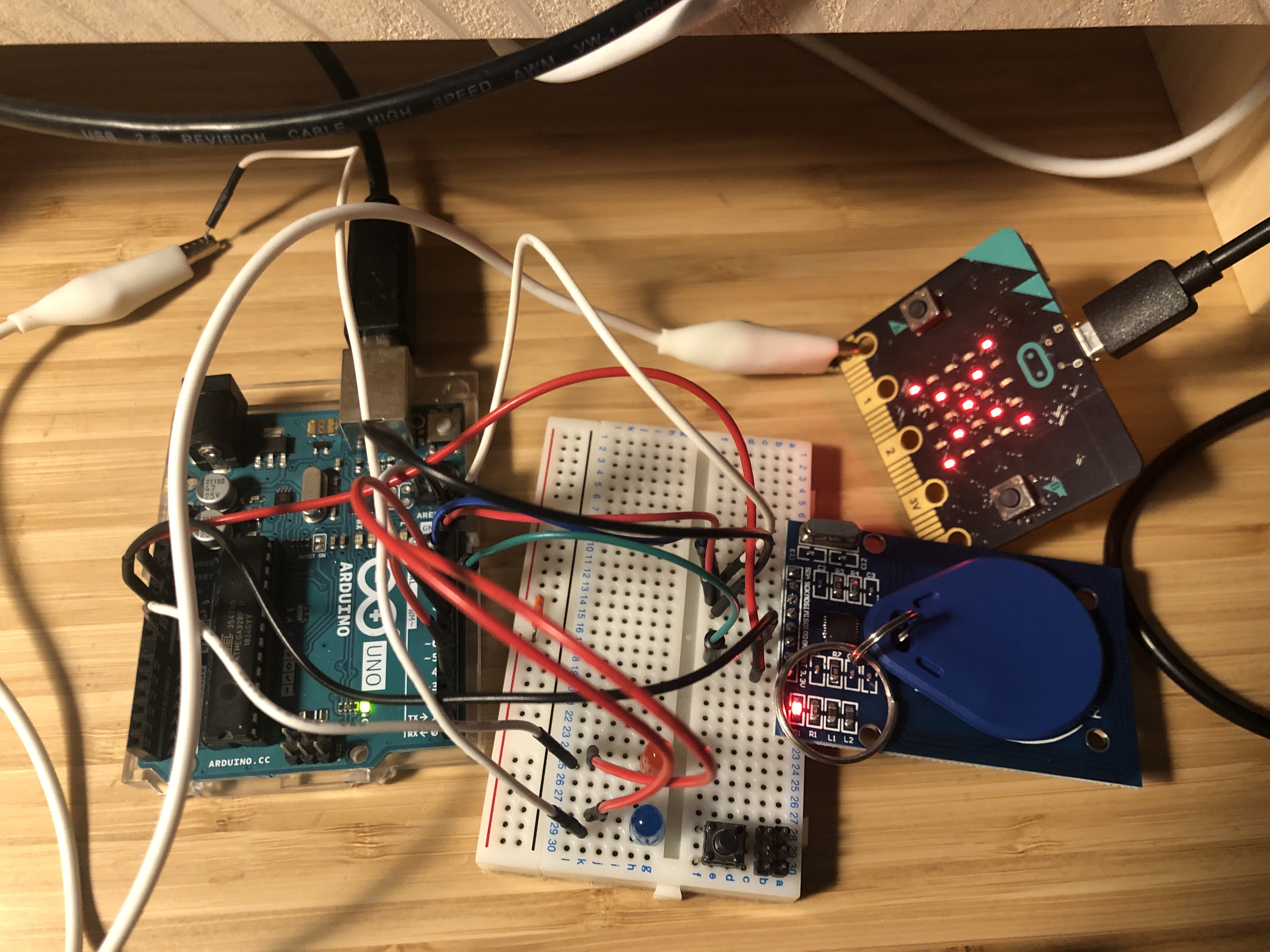
ではなぜ起こったのか?それは「書き込みが完了する前にタグをリーダから離してしまった」からです。書き込みが完了するまでは以下のようにしっかりとタグを読み込ませておかないと認証が失敗してしまうので気を付けてください。